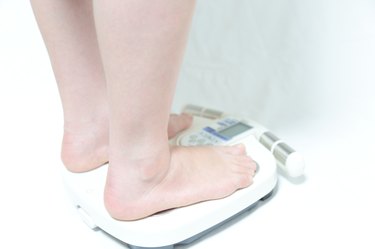
Weight Watchers helps people lose weight each week with a system based on their proprietary "PointsPlus," weekly support meetings and online tools. In addition to their weight loss system, Weight Watchers sells a range of products to aid you in your weight loss efforts. Food scales, bathroom and body fat scales are among the tools participants may purchase in addition to paying the weekly program fee.
Food Scale
Video of the Day
Step 1
Turn the scale upside down and switch the lock button to the unlocked position.
Video of the Day
Step 2
Place the scale on a hard, flat surface. Press the power button to turn on the scale.
Step 3
Lay your food on the scale, centering it on the platform as much as possible. The digital screen displays the weight.
Step 4
Enter the name of the food using the keyboard and press enter. Press the "arrow" buttons to scroll through the food list to select your food. Press the "PointsPlus" button to switch the display from the weight to the PointsPlus value.
Bathroom Scale
Step 1
Set the scale to display pounds or kilograms by adjusting the switch at the base.
Step 2
Place the scale on a hard floor surface like hardwood, tile or linoleum.
Step 3
Press the center of the scale lightly with your foot to turn it on. The display will light up and display "00.0".
Step 4
Step onto the scale and stand still until the scale registers your weight. The maximum weight for the scale is 400 pounds.
Body Fat Analysis Bathroom Scale
Step 1
Set the scale to display pounds or kilograms and place the scale on a hard floor surface. Make sure the scale is level.
Step 2
Turn the scale on by tapping it with your foot.
Step 3
Press the set button once. Use the arrow keys to select your personal user number. This number distinguishes different household members, keeping measurements separate. If you are the only person using this scale, choose "01" as your number. Press the set button once more.
Step 4
Press the arrow buttons to select your height. Input your height in inches, then press "set" to confirm the measurement.
Step 5
Select your age by moving the arrow buttons up or down and press the "set" button to save your choice.
Step 6
Choose your gender by pressing the arrow keys and choose the appropriate icon. Press "set" a final time to complete the set-up process.
Step 7
Step onto the scale with bare feet. Center the balls of your feet over the metal sensors. The scale displays your weight first. Remain still as it calculates your body fat percentage. The scale will display "bf" followed by your body fat percentage. Once you've noted the measurements, step off the scale. It will turn off automatically.